How to install FlowCut
One file. Run it, press Install, open Premiere Pro. Do this on the Windows computer you edit on. A phone will not do.
Watch the install, two minutes →
The steps
- Close Premiere Pro.
- Run the file. The first run can take half a minute before anything appears.
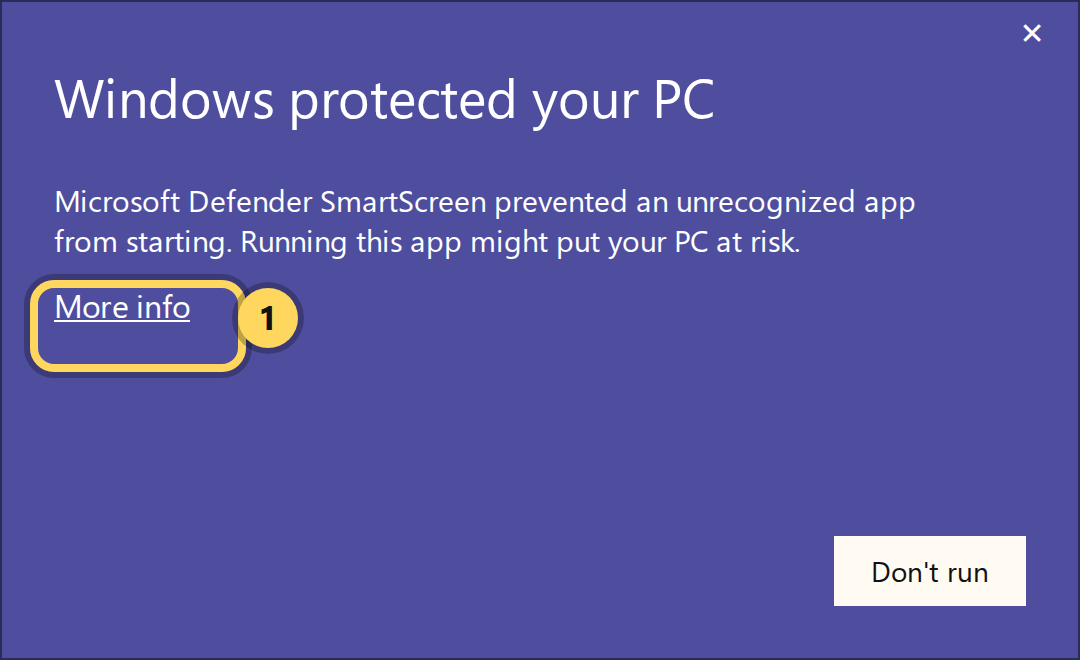
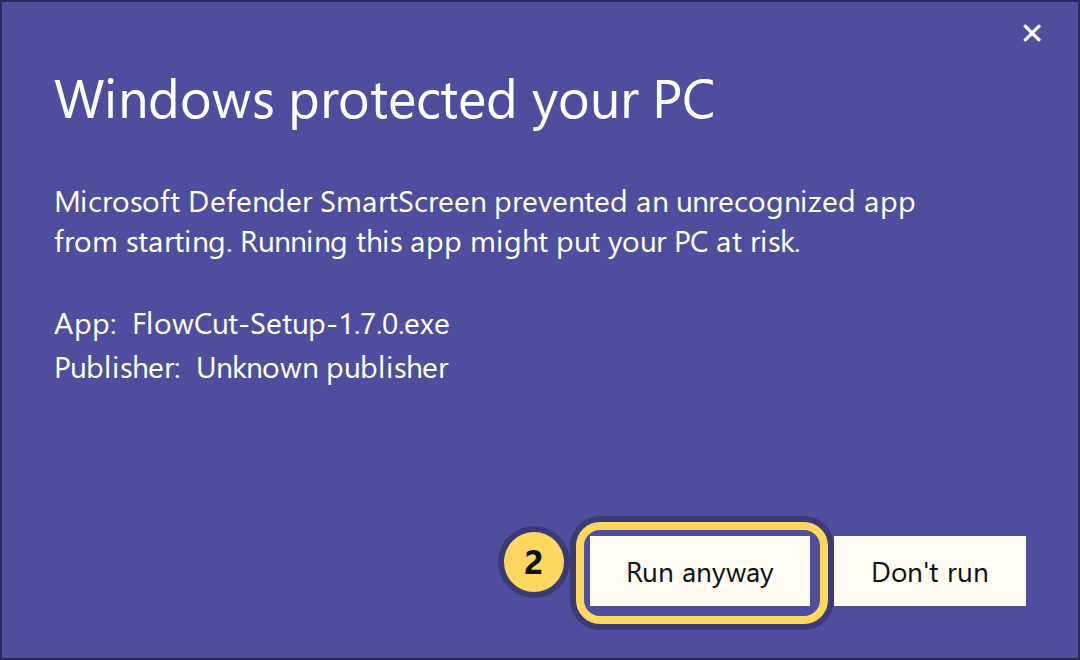
- Windows warns you because the installer isn't authorised yet, we are currently waiting for Microsoft approval. The blue box says "Windows protected your PC": click More info, then Run anyway.
- Approve the admin prompt and tick the licence agreement. Cutting Arabic? Tick Arabic pack too (see below). Press Install.
- Wait. It copies the panel, downloads the speech models (1.9 GB) and adds an antivirus exception. Press Finish.
- Open Premiere → Window → Extensions → FlowCut. Paste your licence key.
The Arabic pack
An optional 1.5 GB model built for Arabic: Modern Standard plus Gulf, Levantine, Egyptian and Maghrebi dialects, and Arabic mixed with English. It makes about 30% fewer mistakes on Arabic than the general model. If you do not cut Arabic, leave the box empty; without it Arabic still works, just through the general model.
Want it later? Run the installer again, choose Reinstall, tick the box. Only that one file downloads.
The Windows warning
The installer is not signed yet, because Microsoft is still verifying us. Until that is done, Windows shows a blue screen the first time and Defender sometimes takes the file into quarantine instead. It is the missing signature, not something found inside the file. Check it on VirusTotal if you want to see that for yourself.
Blue screen: click More info, then Run anyway.
File gone from Downloads: open Windows Security → Virus and threat protection → Protection history, find the FlowCut item and choose Allow on device, then run it again.
Good to know
- A trial key installs exactly like a bought one. Same file, same steps; it just stops working three days after you first switch the panel on.
- A new version installs over the old one. Run it, choose Reinstall. Your key and the speech models stay where they are.
- One key works on two machines. Changing computers? Press Deactivate in the panel first.
- Download links last 72 hours and work twelve times each. Past that, or if you lost your key, ask for them again.
- Stuck? Write to [email protected] and say what you saw on screen.
FlowCut
One panel in Premiere Pro: cuts the silence, writes the captions, keeps the LUTs and overlays where you edit. Runs on your own computer. One payment, no subscription.